Here’s How You Can Manage Monthly Subscriptions And Save Money
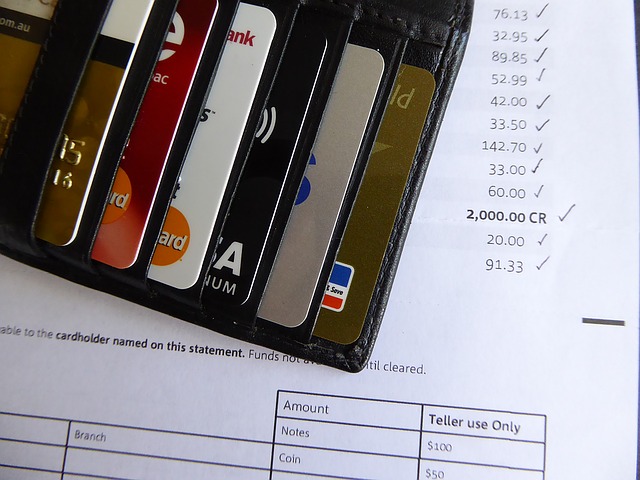
When was the last time you checked your statement of account and credit card bills? If you want to save money, this is the first thing to do. Scan your statements and check the recurring bills that deplete your monthly budget.
Monthly subscriptions are usually the ones eating big chunks in your budget. You might have developed this subscription habit wherein you think that it is a steal to grab every offer you see on the internet for subscribing to these stuff and paying for them. Then you forget about them completely, but the credit card payments would continue.
Their marketing tactics sure are working for you. However, you can actually save money by unsubscribing instead of availing their yearly plan.
Most Common Subscriptions
There are 4 types of subscriptions that you can find online. These are the following:
Accessibility - streaming entertainment services dominate this type. Youtube Premium, Amazon Prime, Netflix, and Spotify are some of the examples. You pay a monthly fee to watch and listen to on-demand entertainment that you cannot find for free elsewhere.
Software - the best example are phone apps that you use for productivity and entertainment as well. Dating apps, news, antivirus softwares, and digital storage services are some of the best examples. If you are looking to save money, try searching for the free version of these services and see if the free features will work for you.
Boxes - these are subscriptions that personally deliver items to your doorsteps. The best examples are magazines and meal plans. Some people are fond of this because they claim it can save money in the long-run.
Ecommerce - this is, in fact, an umbrella term for all subscription forms but the reverse does not hold. Take this as an example: Makeup companies would usually send samples of new products to their subscribers.
The most popular subscriptions are in the entertainment industry.
How To Track Subscriptions
Save money by tracking your expenses through the following:
If you have iOS subscriptions, you can view these using your Apple ID in the Settings of your device. Tap your name and go to iTunes & App Store, enter your ID and go to the Subscriptions tab.
If you have Android subscriptions, you can manage these apps in the Play Store. Locate the main menu and click the Payments and Subscriptions tab to see the list.
For other subscriptions, you can check your credit card statement and emails. Companies would usually send you subscription confirmation through your provided email address. Review your phone bill as well if you chose this as a method of payment. It is a practice of telecom companies to notify their customer that they have been charged for a particular subscription plan they subscribed to.
If reviewing your monthly bill and manually checking your emails would be an inconvenience to you, then a good subscription tracker would be the best answer. These trackers will check and cancel the subscriptions for you. Find a good service and take advantage of their trial versions first to familiarize yourself with the interface. You don’t really want this app to add to your expenses if it would be of no significant use to you.
Final Thoughts
Weeding out unnecessary monthly recurring expenses will indeed save money in the long-run. Some of them may be regarded as impulse purchases because of the good offers. Try to compute the aggregate prices of these subscription plans and see how much you will save in a year!
